Works/TusDus

TusDus iPhone · iPad
A goal for every day.
A step towards your future.
TusDus helps you build a study routine for TUS, DUS and YDUS, Türkiye’s medical and dental specialty exams. Plan your subjects, refresh your knowledge and follow your progress. Your study tools, together.
Turkish and English interface · iOS / iPadOS 15+ · iCloud sync · No account needed
- 6,000+
- questions / exam
- 1,000
- flash cards / exam
- Ad-free
- study experience
Take a closer look.
Scroll to browse; select a card for a larger preview.
Introductions are in English; app screenshots show the current Turkish interface.
 TusDus
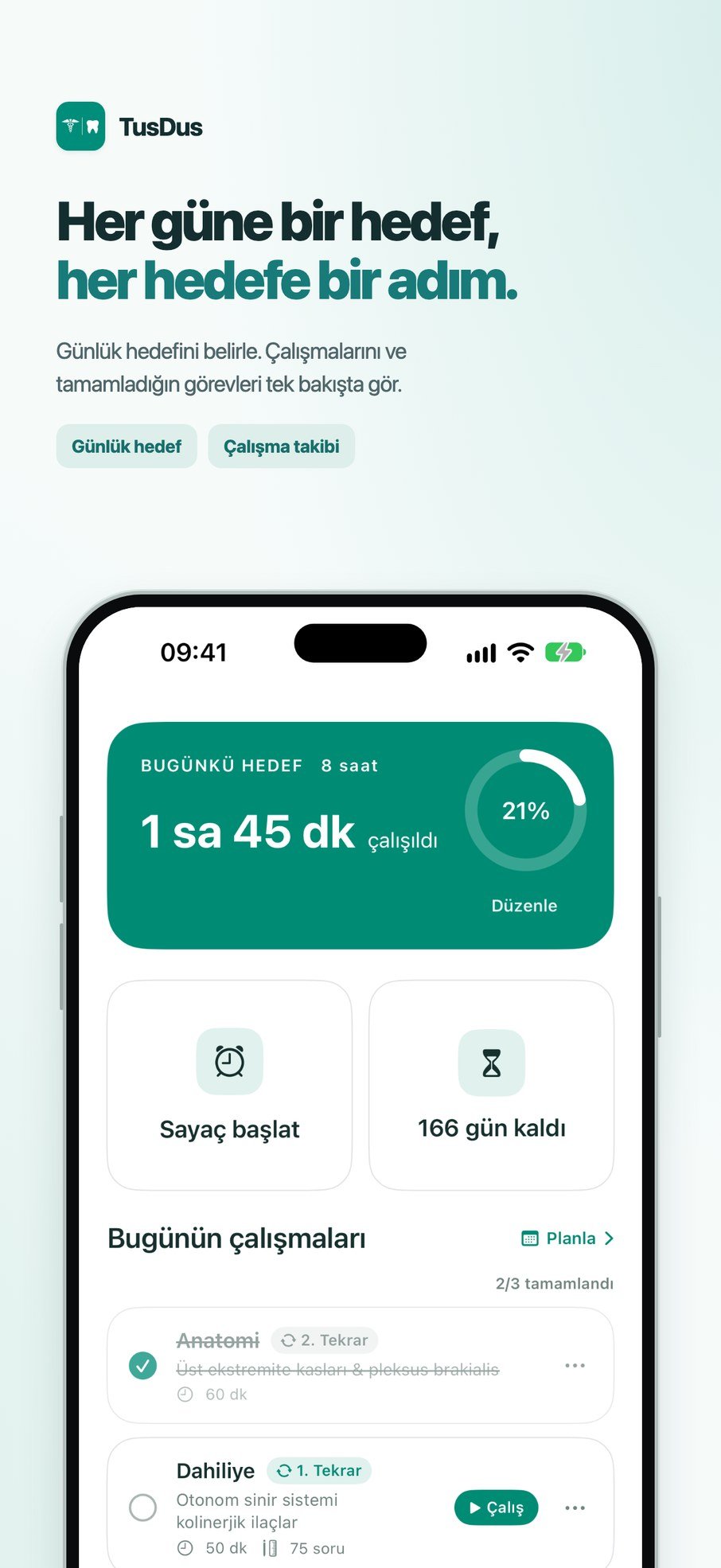
A goal every day.One step at a time.
Set your daily goal. See your study time and completed tasks at a glance.
Daily goalsStudy tracking01Daily goals 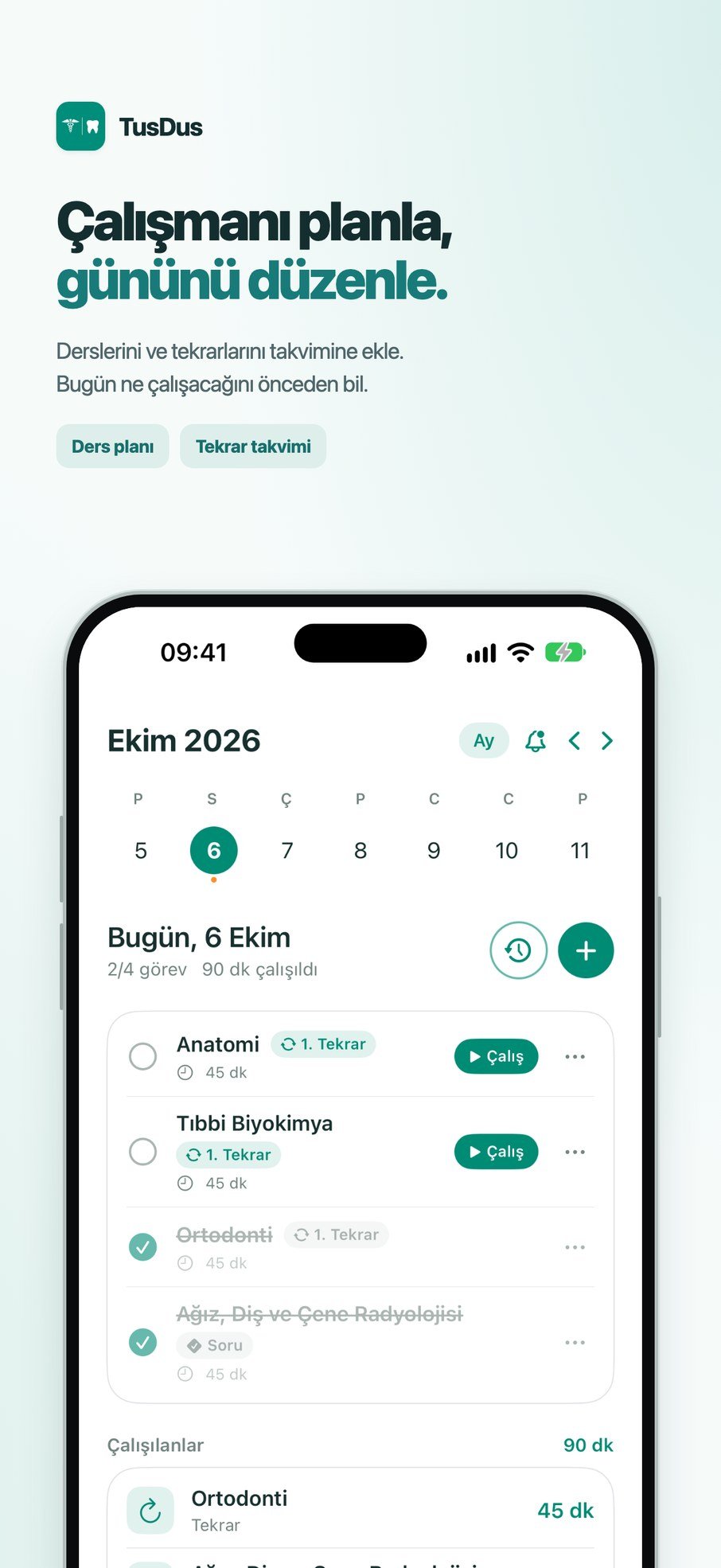 TusDus
Plan your study.Organise your day.
Add subjects and revision to your calendar. Know what to study next.
Study planRevision calendar02Study planning 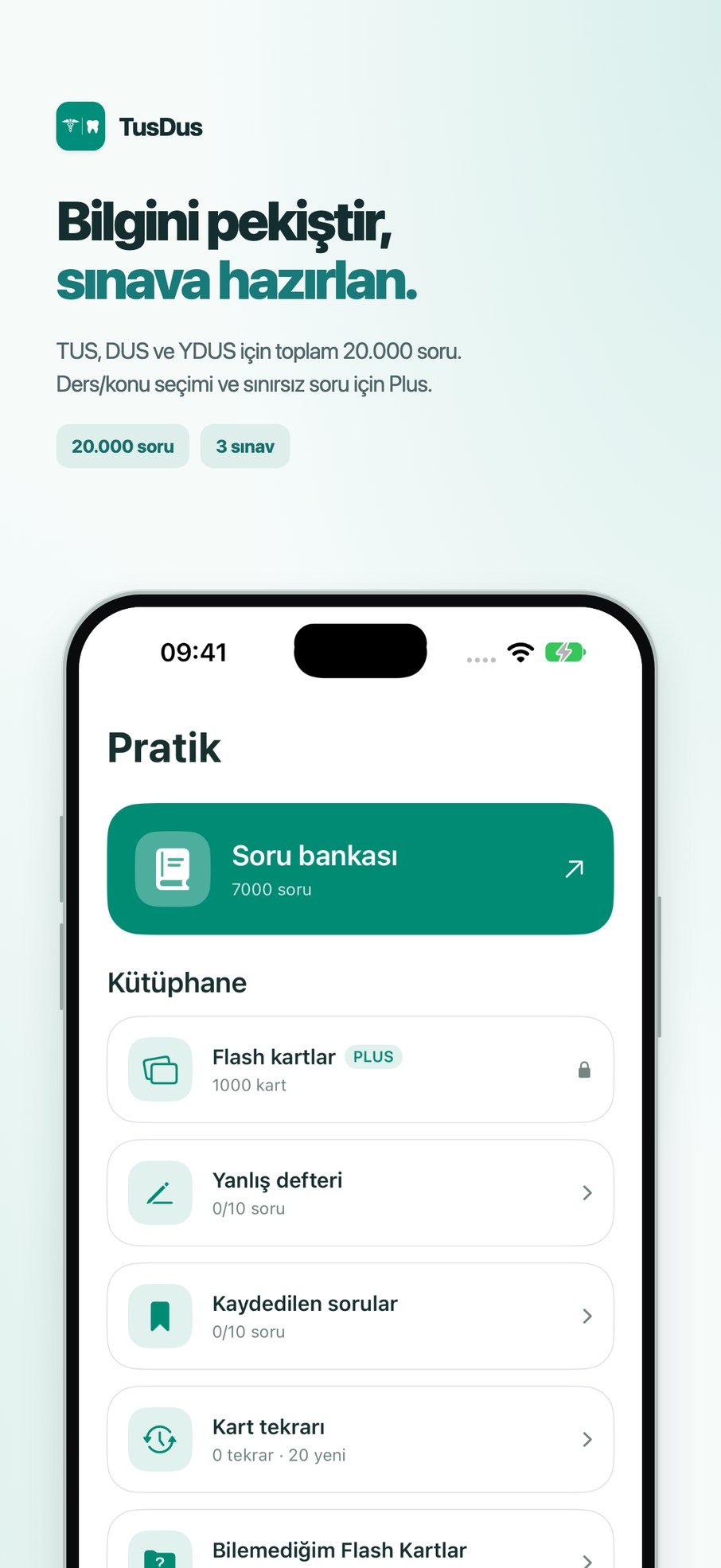 TusDus
Build your knowledge.Prepare for your exam.
Questions, a wrong-answer notebook and a dictionary. Your practice tools together.
6,000+ questionsWrong answers03Practice tools 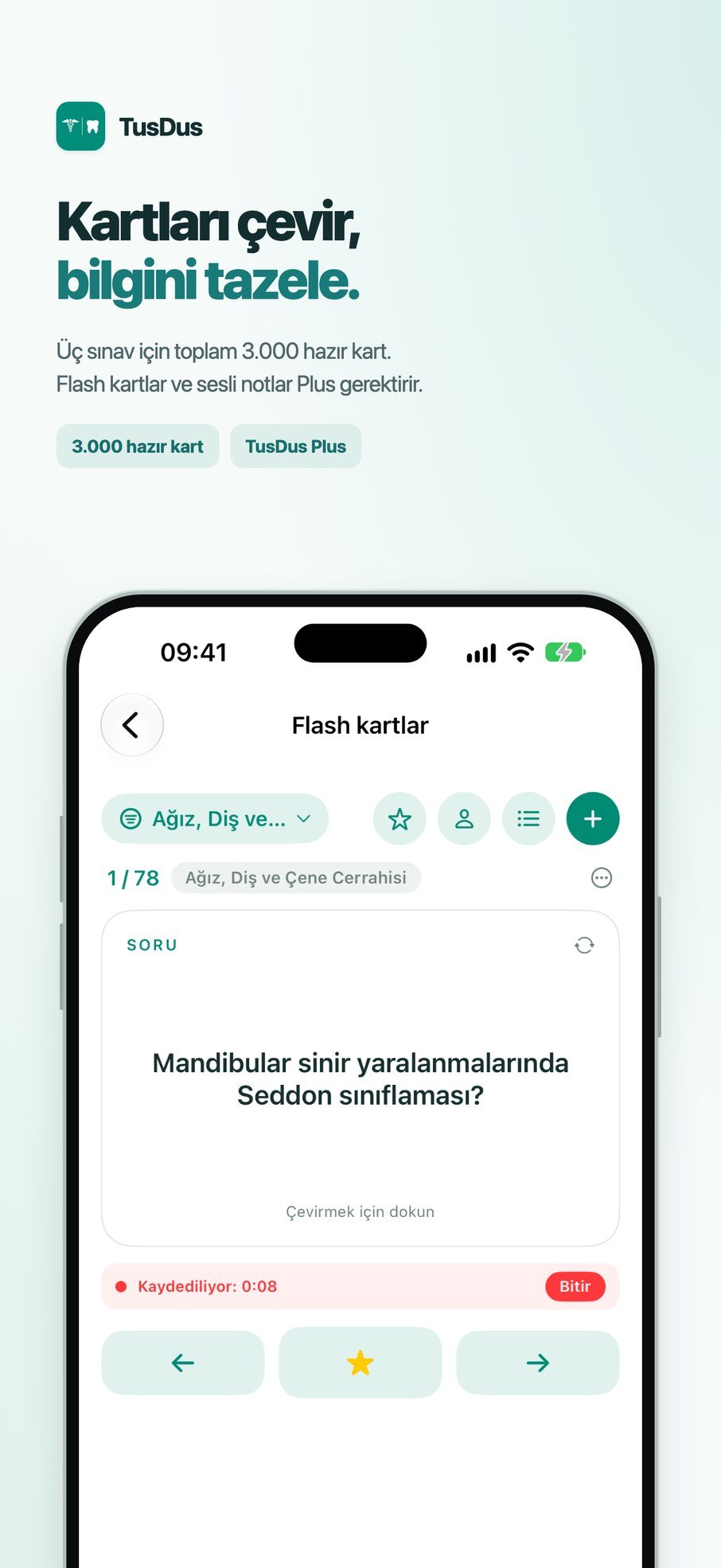 TusDus
Flip the cards.Refresh your knowledge.
Revise with 1,000 flash cards. Save favourites, create cards and add voice notes.
1,000 flash cardsVoice notes04Flash cards 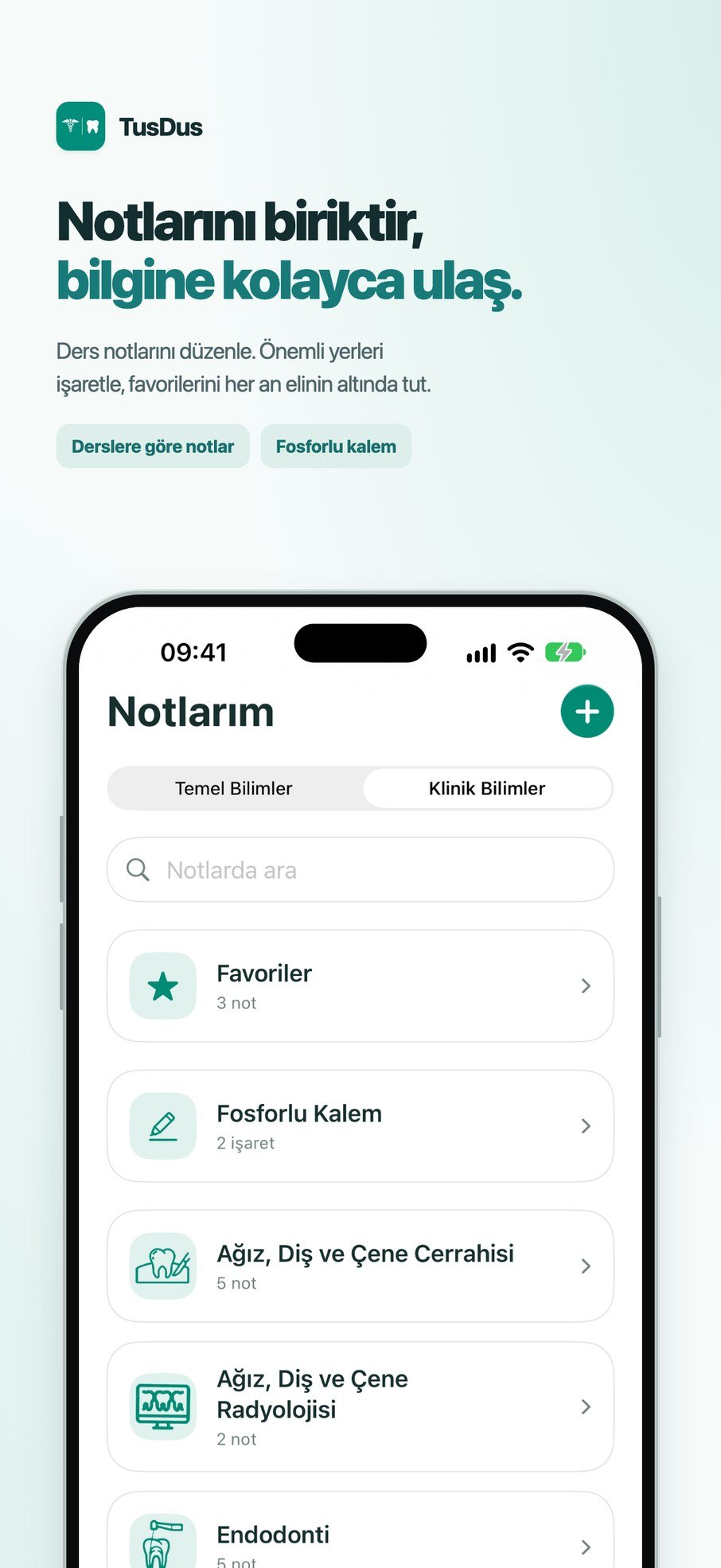 TusDus
Keep your notes.Find what you need.
Organise notes by subject. Highlight key passages and keep your favourites close.
Subject notesHighlighting05Your notes 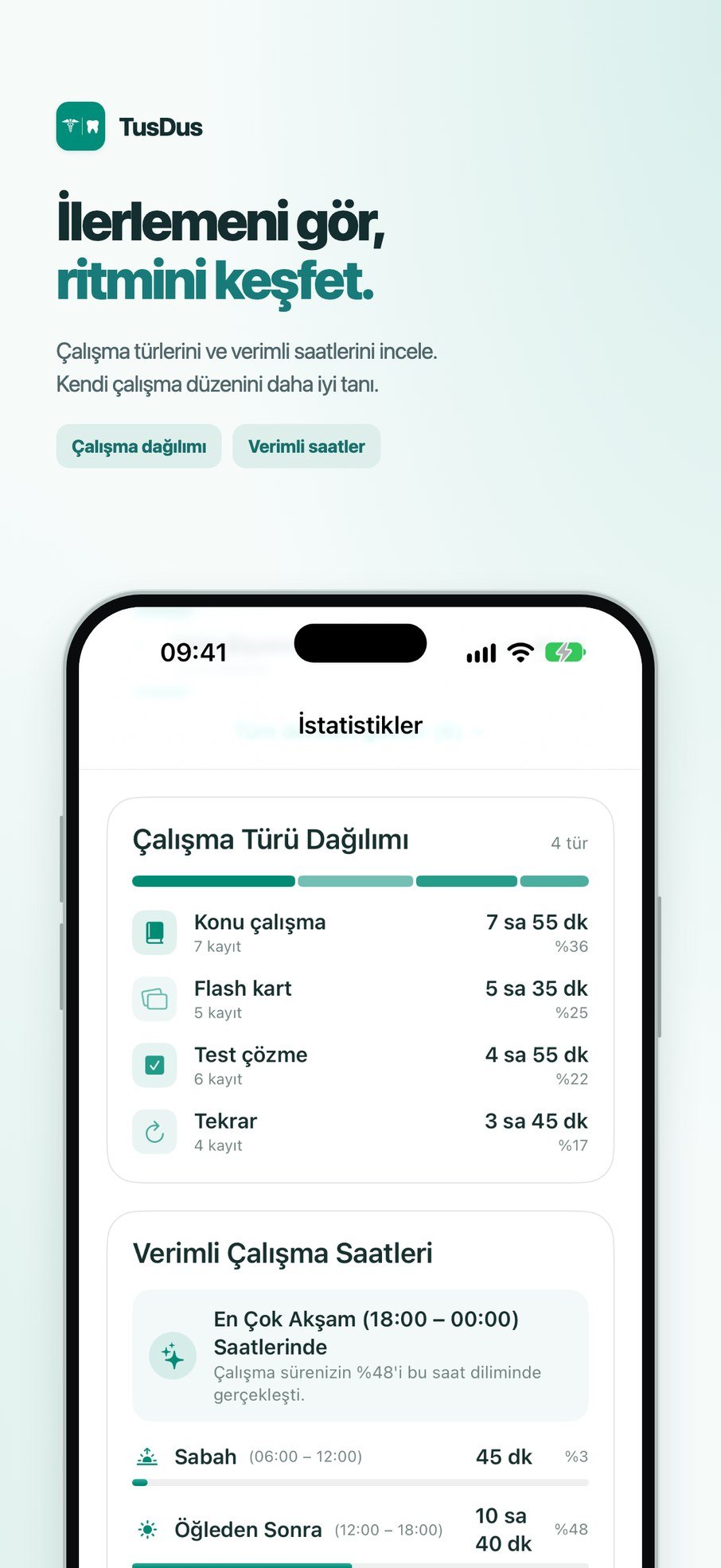 TusDus
See your progress.Find your rhythm.
Explore study activities and productive hours. Understand your own routine.
Study activitiesProductive hours06Study statistics 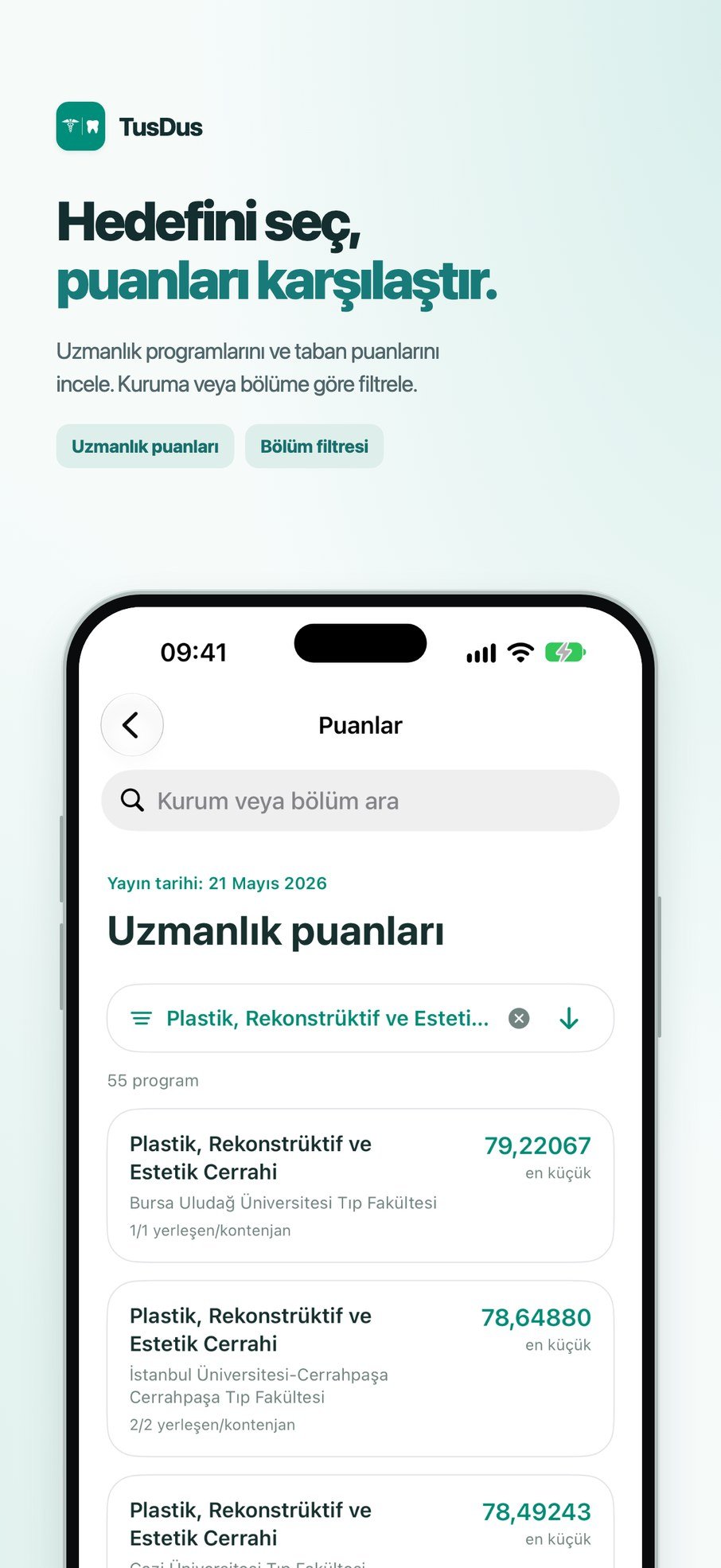 TusDus
Choose your goal.Compare the scores.
Explore specialty programmes and placement scores. Filter by institution or department.
Placement scoresSubject filters07Placement scores 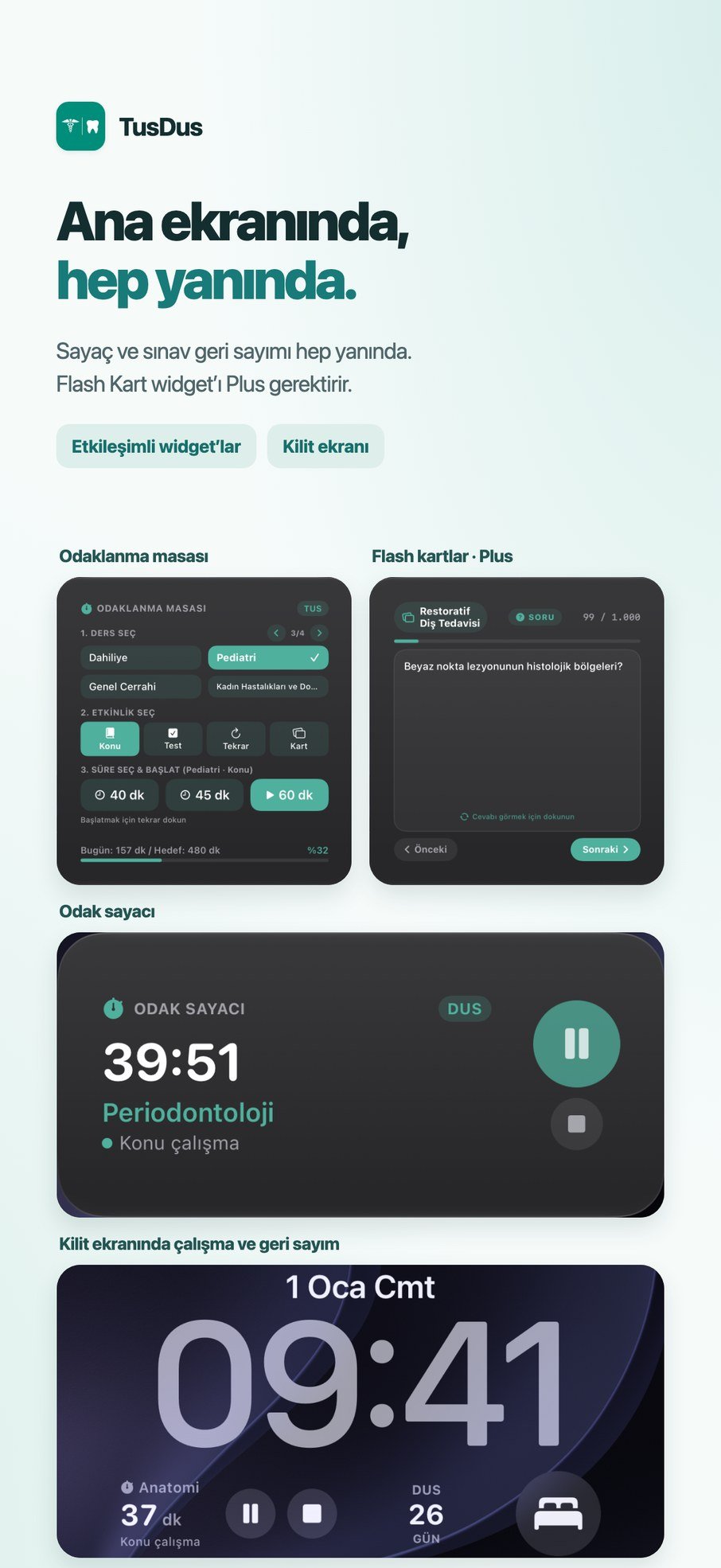 TusDus
On your Home Screen.Always by your side.
Start studying, revise cards and follow your timer and exam countdown.
Interactive widgetsLock Screen08Widgets
Your study routine
Plan. Study. Progress.
- 01
Daily goals and timer
Set a daily study goal. Record study and break sessions by subject and activity, and see today’s progress at a glance.
- 02
Planning and revision
Add subjects and revision tasks to your calendar. Plan ahead with daily, weekly and monthly views.
- 03
6,000+ practice questions
Study with 7,000 five-option questions (6,000 for YDUS) and explanations for your selected exam. Keep a wrong-answer notebook, save questions and use the medical/dental dictionary.
- 04
1,000 flash cards
Refresh your knowledge with 1,000 ready-made cards for your exam. Keep favourites and unknown cards, and add your own cards and voice notes.
- 05
Your notes
Organise text, PDF and image notes by subject. Highlight important passages, keep favourites and search your notes. iCloud sync keeps them up to date on all your devices.
- 06
Study statistics
Explore time spent on each subject and activity. See when you study most and understand your own routine.
- 07
Specialty placement scores
Explore general-quota placement scores from the first period of 2026 by institution and department. Use the preference simulation to explore your goals.
- 08
Home and Lock Screen widgets
Follow your preparation with focus desk, study timer, exam countdown and flash card widgets. Interactive features depend on the device’s OS version.
Counts are per selected exam: 7,000 questions for TUS and DUS, 6,000 for YDUS, and 1,000 ready-made cards for each exam. 20,000 questions and 3,000 ready-made cards in total. Some features require trial or Plus access.
TusDus Plus
Start at your own pace.
Timer, planning, notes, statistics, dictionary, preference simulation and iCloud sync are free. Plus starts with a three-day free trial; unless cancelled at least 24 hours before it ends, it continues automatically at the monthly price. The app shows the current Plus price before purchase.
| Feature | Free | 3-day trial | Plus |
|---|---|---|---|
| Questions | 20 / day, random | 100 / day; 10 per subject | No daily limit |
| Subject / topic selection | Locked | Available | Available |
| Flash cards | Locked | Available; 10 new / day | No creation limit |
| Wrong-answer notebook | 10 entries total | 10 entries total | No capacity limit |
| Saved questions | 10 entries total | 10 entries total | No capacity limit |
| Flash Card widget | Locked | Available | Available |
| iCloud sync | Available | Available | Available |
Your data stays with you
Study data stays on your devices.
Your notes, cards and study records are not sent to the developer. iCloud sync keeps your devices up to date through your own iCloud account; you can turn it off in Settings > Backup. TusDus has no ads.